
Author: Joyce Cimbalista
June 10, 2022
In
javascript, plugins, theme, Uncategorized
WPForms has detected an issue with JavaScript on this page. JavaScript is required
I have a website with WPForms plugin and the Stockholm theme. I recently updated some plugins and WPForms was not able to able to update because the plugin files no longer existed. Strange! I re-installed the plugin and then on the front end, on the
Installed GoDaddy SSL Certificate but still getting Connection Not Private
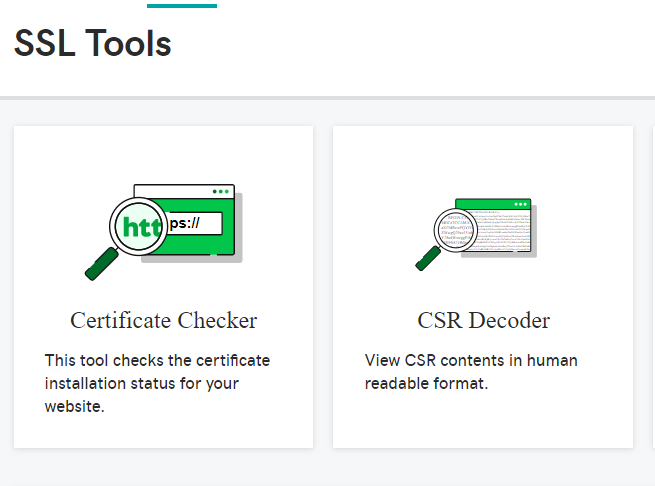
So you've Installed a GoDaddy SSL Cert but when you view the website, it still shows Not Secure or Connection not private. Check and see if it needs to be rekeyed. In GoDaddy, run Certificate Checker (located under SSL Tools) and see if the following error appears:
Creating a WordPress Staging Site on GoDaddy
These instructions for creating a WordPress Staging Site on GoDaddy assume that you have an existing WordPress website and you want to create a copy which will be used for testing an upgrade, testing a new plugin, etc. There are plugins that can help duplicate a
Clear cache for one web page
Lots of times when there's a cache problem, the recommendation is to 'clear your cache', 'delete cookies', 'delete browsing history', etc. The reason I hesitate to do this is because I don't want to lose ALL of my browsing history. Imagine having to dig out
March 25, 2020
In
graphics, Paint Shop Pro
Reversing the Path of Curved Text in Paint Shop Pro
I don't often used curved text, but when I do, and when I also have to reverse the text, I usually get stuck and have to go googling around for a tutorial on how to do it. Here is one such tutorial on reversing the
Changing the URL of a WordPress website
Recently a client bought a new domain name and wanted the existing WordPress site to change its domain to use the new one instead of the current one. After much research, I created and followed a plan for changing the URL of a WordPress website. Here
April 30, 2019
In
captcha, code, forms, javascript, PHP, Troubleshooting, WordPress
Implementing Form Script that Works with php 7
I recently upgraded hosting to php 7.0 since some of my WordPress sites were recommending the upgrade. The WordPress sites were fine, but one of my two last remaining HTML sites was using the Huggins Email Form php script, which isn't compatible with php 7.0,
March 3, 2019
In
captcha, contact form, plugins, SMTP
Error trying to send your message with Contact Form 7 and reCAPTCHA v3
I'm using Contact Form 7 v5.1.1 on my WordPress sites along with reCAPTCHA v3, but when I test a contact form, I get the error: “There was an error trying to send your message. Please try again later.” The error is outlined with an orange border,